Opening hours

I have a saved Twitter search for mentions of ‘library’ within 1000km of New Zealand. It gets people talking about iTunes libraries, programming libraries, and even actual book libraries. Sometimes people just mention visiting by-the-by, and sometimes they talk about good experiences (yay wireless, yay free stuff, yay nice staff!) or bad experiences (overdue fines, book wanted is out, library too noisy).

I’ve seen a few recently surprised at how late libraries open in the morning, but this one made me laugh:

9:30? The library opens at 9:30! Why so late? Is it because librarians need extra time in the morning to put their hair in a bun?

Links of interest 14/12/09

A library in a telephone booth

Fix Your Terrible, Insecure Passwords in Five Minutes” talks about some common mistakes in creating passwords and suggests techniques for more secure ones.

Customer service
Zabel, D. and L. J. Pellack (2009) First impressions and rethinking restroom questions, RUSQ 49(1) has garnered a number of thoughtful comments, as well as reactions in the biblioblogosphere including:

Via someone I forget, who pointed out that this works perfectly if you replace the word “computer” with “library/catalogue/database/etc”: How to help someone use a computer.

Information literacy
Karen Schneider recommends and discusses the Project Information Literacy report Lessons Learned: How college students find information in the digital age (PDF, 3MB).

Digital natives, scholarly immigrants on the ACRL blog discusses some of the findings of the Journal of Higher Education article University students’ perceptions of plagiarism.

Links of interest 23/11/09

Crowdsourcing
Library Society of the World brainstorms library terminology:

Unshelved (the library webcomic) has launched Unshelved Answers, where librarians can ask question and get answers from fellow librarians. There’s a nice system of voting and rewards points to ensure quality control by the community.

Digitisation
The National Digital Forum 2009 conference is in progress; the hashtag on twitter is #ndf2009. Announced there, Make it Digital is offering two $10,000 awards for organisations wanting to digitise NZ content.

Due to popular demand, DigitalNZ announces Collaborative digitisation of the AJHR.

Google Scholar adds full-text legal opinions from various US courts.

Post-digitisation
The Ithaka report on What to Withdraw: Print Collections Management in the Wake of Digitization “analyzes which types of journals can be withdrawn responsibly today and how that set of materials can be expanded to allow libraries the maximum possible flexibility and savings in the future.”

The Swiss Army Librarian writes (with photos) about printing a book from Google Books on one of Google’s Expresso book-on-demand machines.

Links of Interest 4/11/09

Resources
New Zealand Electronic Text Centre has posted a list of online texts for current courses at VUW.

The Dept of Internal Affairs has launched Government datasets online, a directory of publicly-available NZ government datasets (especially but not exclusively machine-readable datasets).

Complementary Twitter accounts:

  • APStylebook (Sample: Election voting: Use figures for totals and separate the large totals with “to” instead of hyphen.)
  • FakeAPStylebook (Sample: To describe more than one octopus, use sixteentopus, twentyfourtopus, thirtytwotopus, and so on.)

Information Literacy
There was a lot of interest at and after LIANZA09 about the Cephalonia Method of library instruction (basically, handing out pre-written questions on cards to students to ask at appropriate times during the tutorial). A recent blogpost by a librarian worn out from too many tutorials wonders “what if the entire class session consisted of me asking students questions? What if I asked them to demonstrate searching the library catalog and databases?”

Scandal du jour
A document by Stephen Abram (SirsiDynix) on open source library management systems (pdf, 424KB) appeared on WikiLeaks. The biblioblogosphere saw this as evidence of SirsiDynix secretly spreading FUD (fear, uncertainty and doubt) against their open-source competition. Stephen Abram replied on his blog that it was never a secret paper and he’s not against open source software but it’s not ready for most libraries. Much discussion followed in his blog comments and on blogs elsewhere; Library Journal has also picked up the story.

For fun
Also at Library Journal, The Card Catalog Makes a Graceful Departure at the University of South Carolina – rather than just dumping it the library is hosting events such as a Catalog Card Boat Race and What Can You Make With Catalog Cards?

Things Librarians Fancy.

Deborah

Facilitating the unplannable

(aka, my view of how my “Getting People Onside” workshop at LIANZA09 went. I’ve written before about planning and about rehearsing this workshop.)

Ingredients:

  • A set of slides to structure my intro/warm-up
  • a bunch of topics on A3 paper for people to cluster around and discuss
  • an egg-timer to keep track of time with
  • a bell to ring to prompt people to move between topics every ten minutes
  • a box to collect email addresses in for those who wanted to join a mailing list to continue the conversation after conference

The conference organisers arranged for the room to be rearranged beforehand from “theatre-style” to “cabaret-style”, which terminology provided a certain amount of mirth to my colleagues in the days leading up to conference. We ended up with nine tables, each furnished with chairs, mints, and writing pads. I estimate about 60 people turned up, which was a great number.

I started off by introducing where I was coming from with this topic – basically that conference tends to give you all kinds of great ideas, except that you can have all the good ideas in the world, but if you’re not prepared and able to deal with the various obstacles/resistance to change then they may well sink without a trace; so this was a time to think positively and brainstorm about how to be prepared.

We did some warm-ups next. First, the “Mexican Wave” – because we didn’t have time to introduce 60+ people, I got people to just call out their first name as my arm swept around the room, and then we repeated that with a couple of other simple questions. It didn’t go as fast as I’d intended: partly because the shape of the room made it unclear where my finger was pointing, partly because we all fell into turn-taking mode instead of the babbling whoosh I’d envisioned, and I wasn’t confident enough to really get more energy in there. But it still worked and I think achieved its purpose; certainly when we moved on to brainstorming how to respond to the “50 Reasons Not to Change”, everyone was quite happy to participate.

And then we split into 10-minute groups. Well, actually 9 minutes for each one, because I had a close eye on my timer. šŸ™‚ I kept the ‘ground rules’ up on the slides during these, following a suggestion from the rehearsal. I sort of hovered and spent a few minutes at each table, occasionally sticking my oar in but mostly just listening, and it was all very cool. Some of the keywords I’d come up with as conversation starters were interpreted differently by the participants than how I’d intended them, but that didn’t matter in the slightest of course. During the last 10 9 minutes I passed around my box for email addresses.

Finally we spent five minutes getting someone at each table to report back a highlight or two; and then some kind soul helped me gather all the notes people made while brainstorming, which I’ve now duly transcribed.

I was really happy with how it went, which of course is all down to everyone’s participation – it was exactly what I’d hoped for when I proposed the session.

Links of Interest 20/10/2009

LIANZA 2009
A map of LIANZA09 participants – purple for attendees, pink/orange for invited speakers, yellow for vendors.

Widgets and other neat free stuff
Gale Widgets aren’t new but are nicer than ever. If I understand correctly, the PowerSearch widget searches across all Gale databases subscribed to by one’s institution. To create a widget use our location ID “canterbury” – the javascript code provided can then be pasted into LibGuides. (New box -> Rich text -> Add text -> plain text editor -> paste)

SpringShare gives instructions for adding WolframAlpha’s improved search widget to LibGuides.

Elsevier provides all their journal covers free. (“These cover images may be used in systems in which Elsevier material is offered to end users. Unauthorized use and/or modification of these images is strictly prohibited.”) Perhaps could be used in a future generation of our catalogue to complement book cover images? If you just want a single image to promote a journal on LibGuides, replace the number in this link with your journal’s issn: http://www1.elsevier.com/inca/covers/store/issn/00016918.gif

Plates from Buller’s Birds (digitised on a Creative Commons license).

Text message reference
Penny Dugmore writes about Unitec’s launch of a text reference service, and Elyssa Kroski’s Library Journal column on Text Message Reference: Is It Effective?. Oh, and just in: a summary about a recent presentation on text reference, with stats on libraries offering it and more links.

Library humour
A library-themed filk of Gilbert and Sullivan’s I’ve got a little list.

Range guide humour (alas, it’s harder to get this effect with LC…)

LIANZA 2010 Conference Launch

Linda Geddes is 2010 Conference Convenor. It’ll be the centennial conference (first NZ library conference was 26th-28th March 1910) – aim to create a historic event. Video prepared with welcome message from Dunedin Mayor, apparently not realising that librarians can party to rival the Undie 500 delegates. šŸ™‚

Theme will be “At the Edge – Te Matakāheru” 28 November – 1 December in Dunedin, at the University of Otago.

Tim Spalding on Social cataloguing

What it is, and what it means for libraries?
Tim Spalding founder of LibraryThing

Introduces self as a failed academic, worked in publishing, started LibraryThing.

Warning: Library Science being practiced without a degree

Started as a personal project, now a company. 850,000 members who catalogue their personal libraries – so far 44million books. Available in 12+ languages. (Not Māori but would be open to that – translations done by members.)

Social cataloguing is “what I say it means” because he invented it! It’s what emerges when personal catalogue goes social. It’s becoming increasingly important to libraries. Used in LibraryThing, Shelfari, GoodReads; Visual Bookshelf, BooksWeRead.

Ladder of social cataloguing:
– started as personal cataloguing and grew from there
– users climb the ladder
– climbing the ladder is more altruism, more cooperation, more social. But participating is primarily for self. There’s some application to libraries but it’s different there.

Live demonstration of adding “History of New Zealand” by Michael King to his bookshelf. Mixture of tags – “new zealand”, “history”, “lianza”, “interesting”. Bookshelf with ratings. Can add from Amazon or many other bookstores or even libraries – 10 libraries in New Zealand contribute data. Can view libraries by list, cover, tag (list or cloud); author cloud or portraits. Statistics on language, number of characters, places. Reviews and ratings. Members’ profiles – social networking component but LibraryThing is more about content than people, reflected in focus on users’ names rather than user icons.

23,000 people adding Twilight. All doing it for themselves but as a result there are now 1200 reviews people can read; tags are added, recommendations are generated (“Will I like it?” – it correctly predicts he won’t like Twilight. šŸ™‚ ) Can follow a feed of new recommendations. There’s also the “unsuggester” – trying to be entertaining around books.

Example of Neuromancer – library of congress has bizarre subject headings; LibraryThing has “cyberpunk” and you can click through to read more cyberpunk. “Chicklit” is sorted by how many people have called it that; cf Library of Congress “love stories” which is just either/or, no sorting. Idea of prototypes – a robin is a really good example of a bird, a penguin is a kind of okay example of a bird…

Non-romance readers think romance readers read romance, but they don’t – they read contemporary romance, trashy romance, regency romance, lesbian romance, paranormal romance….

“If you’re using terms like “social capital” you’ve already passed some kind of brain test” so not worried about vandalism….

“magic” is problematic – Harry Potter mixed in with academic ones.
“leather” even more so

Can do tagmashes to get tagmash “France”, “WWII”, “fiction”

“chicklit” is now an LCSH but not geographically subdivided and will never have a “zombie” subdivision.

Tags: glbt vs lgbt “But those are the same thing!” — but no: the books are actually different. The terms that people use encode all sorts of stuff. Many things labelled “homosexuality” actually mean “anti-homosexuality”.

More than 1.5million covers added (including Albanian, Serbian editions of Harry Potter). When you upload it for yourself, everyone gets the benefit.

Social networking based on books you have in common. “Even if I don’t want to be his buddy, checking out his library will be very interesting to me. Social networking for people who don’t want to talk to each other.”

Most popular group is Librarians who LibraryThing. Conversations about books on groups are tied into the books’ own records.

LibraryThing Local – showing us map of bookstores and libraries in Portland, Maine. Can connect to local LT members; find events at bookstores, libraries. Add a photo of our libraries to these pages!

Example of wife’s books – members have combined all the editions (other languages, etc) FRBR-style. Members have combined “Mark Twain” and “Samuel Clemens”.

“Common Knowledge” – awards, quotes, characters and places in the story, blurbers – all sorts of things not captured in typical metadata.

Series pages – eg Star Wars series. Plus “related series”. Much more information than any library has. Collated by people who know about it – the books’ fans.

How many books does George Washington occur in? How many books take place in Washington, D.C., or in Hell?

LT “member” Thomas Jefferson, Marie Antoinette. No New Zealanders at the moment. Based on eg auction house records. Done by the group “I See Dead People’s Books”. Nice to be able to search Thomas Jefferson’s library – couldn’t do it before; now can see how you overlap with these people. Most popular book among all legacy libraries is Don Quixote; #2 is Complete Shakespeare.

Highest rung of ladder is altruism – flash mob cataloguing where volunteers go to library and catalogue their books in a mob in a day.

Six free ways to use LibraryThing:
1 Make sure you’re in LT Local
2 Make an account
3 Libraries of Early New Zealand
4 Flash-mob catalogue your local historical society, church, health centre…
5 “Community library” to create a shared local library with LibraryThing Groups (eg two churches, a historical library, and a couple of people in town).
6 Grab our free data: common knowledge data, frbrised data etc.

One un-free way:
1 LibraryThing for Libraries eg at Seattle Public Library showing other editions and translations; similar books; tags; reviews. Four or five NZ libraries are using it.

What does social cataloguing mean for library cataloguing?
The end of the world! No!

Defends the value of structured metadata but that shouldn’t be all we have.

LCSH – A book has 3-6 subjects – why? because that’s how many we can fit on a card.
Subjects are equally valid because of… the card.
Subjects never change because of… the card.
Only librarians get to add subjects because of… the card.
Users don’t get a say in how books are classified because of… the card.

In the digital world, none of this matters. In libraries these ideas have still persisted.

The physical library was human. The first wave of technology was dehumanising but social cataloguing can rehumanise the library. Everyone can help. (We don’t need to let them do everything but they can help!) Local matters again. cf Māori Subject Headings – sometimes local communities need headers other communities don’t have.

A note of caution before joining the exciting world of web2.0 – join the exciting world of web1.0! Library catalogues aren’t web1.0. Often you can’t link to library catalogue records; they’re all session-based. Why why why? People need to be able to bookmark and share. And catalogues aren’t indexed in search engines! Why?????

Go with the grain of the internet, not against it. We’re not in competition with the internet. We should be open. Libraries are going the wrong way. LibraryThing gets twice as much traffic as WorldCat. Dogster gets as much traffic as WorldCat.

Be part of the conversation. Trust people: put your stuff online and risk that people might find the “wrong thing” or tag it the “wrong way”.

Choose solutions that favour all this. He thinks open source is the way to go. He doesn’t think open source is necessarily better, but it can be.

Social cataloguing can be a last chance to join web 1.0. Before we start struggling with ebooks struggle with the fact that people can’t find our books on Google! It’s an opportunity to reinvigorate library technology. To reconsider some LIS thinking and improve systems. (Had a LT project to replace Dewey. Turns out to be hard and didn’t work. But it’s cool to try!) Chance to embrace best traditions of librarianship: radical openness, public spirit, focus, connection to the local and social. Why would we lend books but hold back metadata?

Q: Could libraries organise own flash mobs and [? get stuff on web?]
A: Absolutely! Thinks flash mobs are good for things on the periphery, stuff that’s never been exposed eg churches, historical society. So many books exist in private holdings!

Q: What proportion of books on LibraryThing do people catalogue themselves rather than pulling data in?
A: Not sure but probably a small percentage. Zines, comics, etc are the main things.

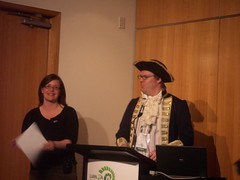
Web 2.OhMyGod to Web 2.OhNo

Douglas Campbell and Chelsea Hughes

Chelsea Hughes and Douglas Campbell
Nautical theme using the Web 2.0 Map.

MySpace – went to tell musicians “Give us your CDs, it’s the law.” Message was clear but didn’t actively engage; then left and had no exit strategy.

Blogs – started up a couple. Also name “The Collections blog that never happened” – because would be too time consuming for staff to do necessary research. Other blogs (Library Tech and Create Readers have been successful and they’re sticking around.

Flickr – Rights was an issue to start with but now joined Flickr Commons. Staying but passively – adding stuff but not joining discussion and groups.
Learned how to take risks, created relationships. But didn’t have resources to really nurture their pressence – like blogs it’s not really anyone’s job.

2008 Web Harvest
Timeline: anger because of bandwidth. NatLib explained so people were happier. What went well – they were already in the social spaces so were alerted to anger quickly and could respond quickly.

Twitter – worked well because could apply past lessons. Identified as opportunity to promote collections. Tea-break tweets only – no system outages, media releases. Try to be at desk for 30 minutes after tweets go out in case of replies so can stay engaged. Don’t measure success by number of followers but by clicks on bit.ly links and conversations. Low effort so definitely staying. Much went well; so far nothing’s gone badly!

Have tested waters in wikipedia, slideshare, delicious, youtube, but so far haven’t found a good fit at them. These places don’t meet their criteria of having something to offer, someone to tell it too, and a way to sustain it.

Lessons learnt:
Engage, set goals, know your audience, know your limits, know yourself, be social, own it, choose your platform wisely, make it personal, take risks but be smart about it, be casual but not too casual.

Handout folded in shape of boat with chocolate ‘gold coin’ folded inside. Contents will be on Library Tech.

Q: Still doing Flickr Commons?
A: Yes, still adding things, just not more involved.

Q: Are you capturing NZ Tweets through NDHA?
A: No. Not sure how to identify NZ twitterers. Only covers .nz and “known offsite distributors”.

Q: How do you sell Flickr etc to bosses?
A: Get a longer leash to trial it; point to success examples; show them the benefits. Get a three-month pilot agreed.

Q: Re “just do it” – but it’s about the library’s reputation too.
A: If you’re just doing it then use a personal account but also be smart about it.

Being online is just another way of living your life – a staff member could make just as bad a reputation for you at the pub.

Implementing Web 2.0

Paul Hayton

Metrics are important – available on flickr, wordpress, facebok, youtube, witter. Wikipedia doesn’t.

Launch dates all refer to Dunedin Public Library’s accounts.

Flickr:
consider using a secret email address; it negates most IT/Council security uploading hassles. Subject heading becomes title and body is description.
Flash-based tools may break so use the basic uploader
Pro account gives features that are worth it.
Link Flickr to blog, facebook, etc – facilitates crossposting.

Blog:
Started having news and reviews blogs. In Feb 08 merged to a single blog at wordpress.
Use Google Analytics. Hosting on own servers makes it easy to put code in.
Suggests posting every 1-3 days. Every day is too much, every week not enough.
Include youtube clips, flickr banner and links to other services down the side.

If doing more than one thing then reuse your content! Eg description on images / blog description of event. Push people through to different services by linking blogpost, photo, through to youtube video etc.

Post a little content often rather than a lot infrequently.
Link to other online spaces proactively
Review content using metrics to discover what really is popular content (eg topical links to Swayze-related collection)
Use categories, not tags to standardise search when running a blog with multiple contributors – forces authority control.

Wikipedia article – launched April 08. Anecdotally well-received but hard to read statistics. Have had one instance of vandalism – corrected by wiki community within 24 hours. When Paul started adding stuff he had people telling him he couldn’t put up library-copyrighted stuff.
Tips:
Establish an account
Declare who you are
Start small, build content as time permits
Add images and links to other online spaces
Reference where you can
Seek other pages with related content and edit to include a link back to your own page

YouTube
Launched May 08; now 111 videos, average of 40-60 viewers per day.
Tips:
Invest in a tripod
Recording at 320×240 at 8 frames per second is fine and reduces both file size and upload time
YouTube has a 10min limit
Don’t pan and zoom.
Be consistent in categories and tags

Facebook
Launched December 2008 – wanted to establish a profile and generate viral promotion; engage in dialogue with fans and deliver targeted promotional info to fans
Address is horrible – get a badge. (Me: if you have 100+ fans you can get a custom address)
Metrics interesting – fans are 64% female which reflects library membership. Highest fans are at 25-34%
Good conversation going.
Tips:
Have a response plan for if customers engage.
Establish a page, not a group.
Post links to other online spaces
Use the events feature and selectively send invites to fans
If you have a Twitter account, consider linking your status updates to it.
Import blog, flickr content etc to your page.

Twitter
Launched Feb 09
Can get statistics from various analytic sites eg tweetstats.com
Predominantly events stuff.
Tips:
Use web stats services to analyse account
Use the power of the + in http://bit.ly/1894XD+ to get stats on how often it’s been viewed.
Firefox – install Power Twitter add-on.
“The more you give the more you get” – the more you tweet the more followers you get – but it’s more about quality vs quantity.

Implementing:
– Strategy – be clear about why and where you’re playing, but you don’t need a full strategy before you dive in. No analysis paralysis!
– Staff/time – better to do one thing well than several things poorly. Look for something you like and do that.
– Learn by doing. Forgiveness vs permission, action vs policy.
– Proactively network with like minds.
– Spend time each week being a ‘naive enquirer’ to learn more.

Q: Release permission for filming booktalks, audiences?
A: Get permission for authors, performers. Camera is generally not on audience – only incidental and not very identifiable. Anecdotally – email from someone in a video who wanted a copy to send it around

Q: Problems with Wikipedia’s rule against editing your own page?
A: No issues.

Q: YouTube filming at low resolution – shouldn’t we film at high resolution for posterity and just upload a low-res version?
A: Yes, valid point – could be something we could do better at. But currently dealing with practical issues